OTOBO: Your All-in-One Command Center for Service Requests
Learn how to install and self-host OTOBO. Step-by-step tutorial on setting up the best open-source ITSM platform for tickets, incident, and more.
Hey friends, welcome back to GeekNP, where we geek out about servers, networking, security, and good old self-hosting. Today, I want to introduce you to OTOBO — think of it like your personal open-source service management platform (aka ITSM tool) that acts as your all-in-one command center for service requests, incident handling, and more.
So what is OTOBO? Simply put, OTOBO is a web-based, modular service management platform that lets both tech and non-tech teams manage tickets, incidents, service requests, knowledge bases, SLAs—you name it—all in one place (otobo.io).
Picture an IT helpdesk juggling a flood of incident tickets: a printer’s jammed, an email’s stuck, someone needs a password reset. With OTOBO, every ticket gets logged, sorted, assigned, and tracked—no more playing whack-a-mole with emails. And since it’s fully open-source, you can tweak it, theme it, or run it anywhere without license hassles.
OTOBO’s Feature Buffet: What Makes It a GeekNP Favorite
Let’s wander through OTOBO’s key features—aka the Swiss Army knife for service management—each one a mini-hero solving real workflow pain points:
- Change-request handling – Need to update a firewall rule or roll out a new service? Track changes from request to approval to implementation. Keeps change chaos clear.
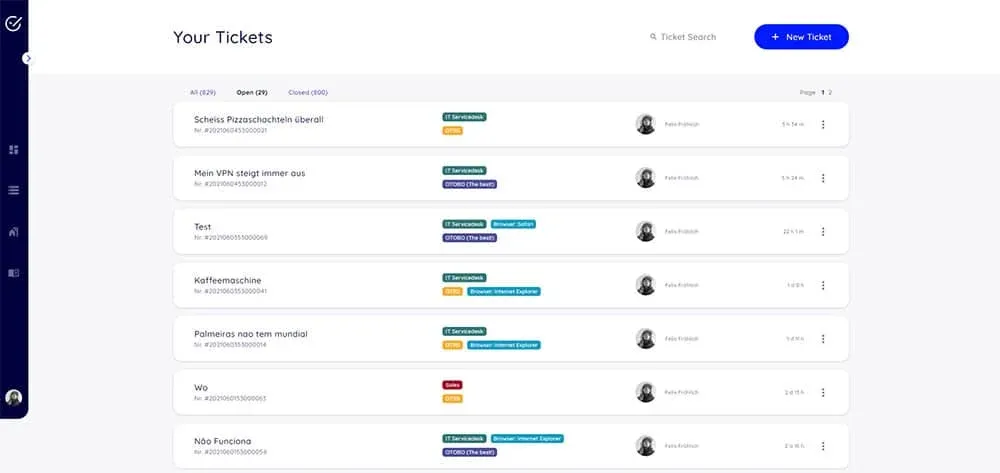
- Incident management – That jammed printer becomes a ticket; OTOBO lets you assign, prioritize, and escalate until it’s fixed. Clean, simple, transparent.
- Service catalog – Imagine a menu of services like “Reset my password” or “Deploy new VM.” Users pick from the catalog, and OTOBO handles it from there.
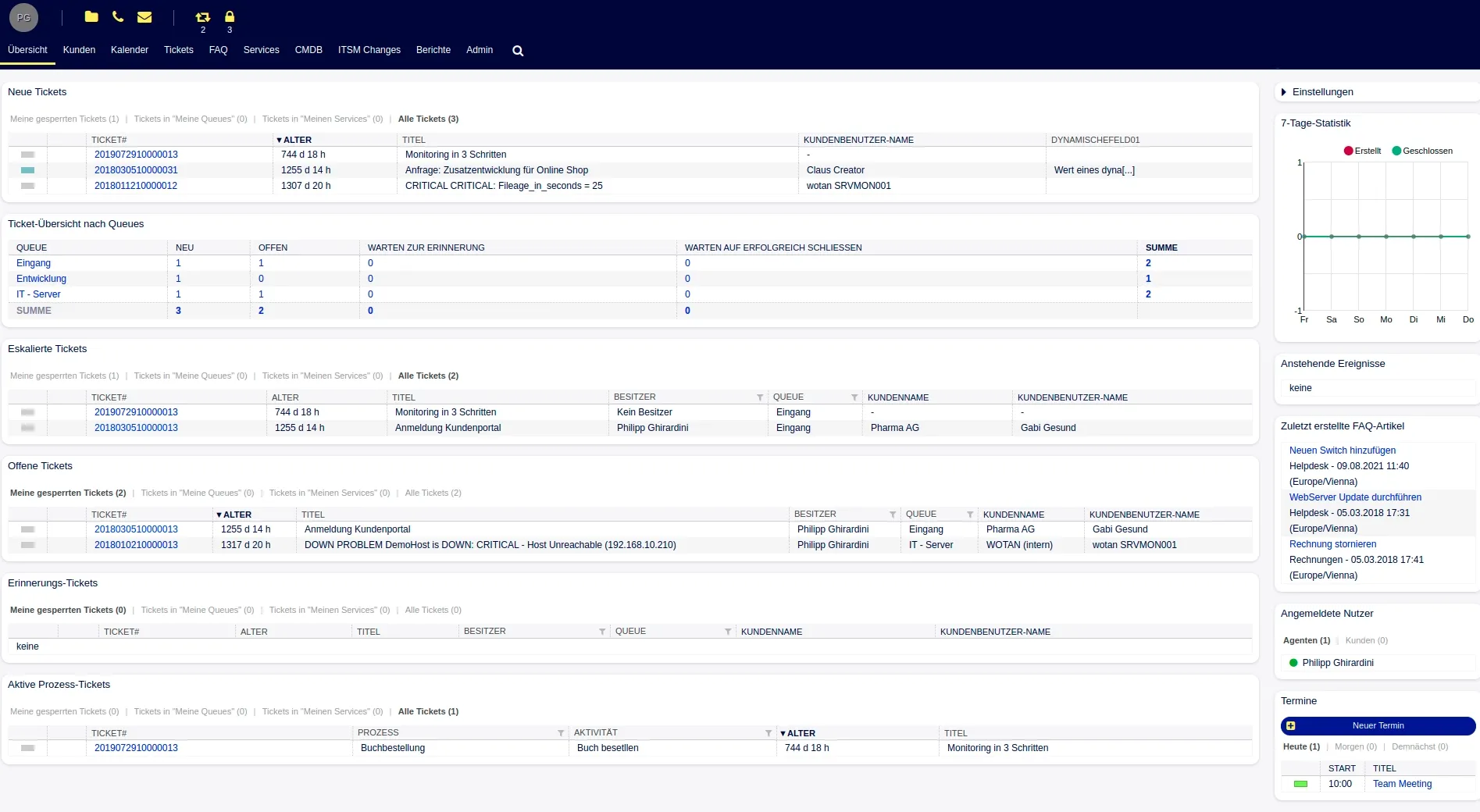
- Ticketing system – The backbone: every issue becomes a ticket with tracking, threads, priorities, and status updates.
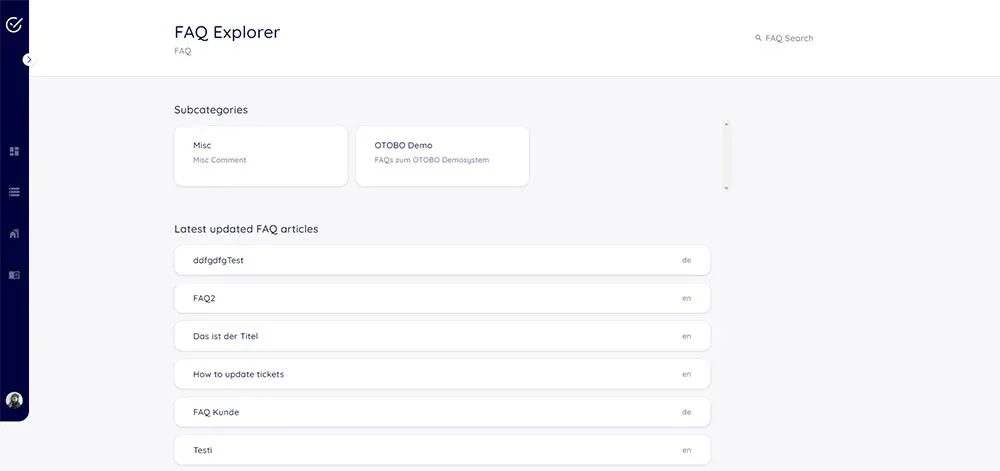
- Knowledge base – “Did this before? Save it.” Build an internal FAQ and helpful articles so agents can answer faster—and fewer tickets mean more wins.
- SLA management – “Fix this by 4 pm, or escalate.” SLAs keep you accountable, and OTOBO triggers reminders if things slip.
- Dashboards – Hey, visual people: charts showing open tickets, SLA breaches, agent performance. Instant insight instead of diving into tables.
- Automation – Tired of manually assigning tickets? Set rules: super-simple (if subject contains “email”, assign to tech team) or advanced—whatever fits your flow.
- User roles and permissions – Who can view, assign, or close tickets? Fine-grained roles keep bones and data safe.
- Reporting – Need metrics to prove you’re not just spinning wheels? Generate reports on ticket volume, response times, common issues, team workload, and more.
Each of these isn’t just a fancy checkbox—they’re solutions to real problems. Prevent someone from replying-all to say “printer jam.” Let’s automate that with a ticket. Or help your team spot that 80 % of tickets are password resets—and maybe automate that, too. OTOBO gives you tools to work smarter, not harder.

OTOBO vs. The Big Kids: Why It Stands Out
Okay, now let’s talk competitors: there’s OTRS, GLPI, ServiceNow—and OTOBO shines in several ways.
- OTRS: OTOBO actually forked from the OTRS Community Edition—meaning it inherited that platform’s solid architecture—but it’s fully open-source (GPL v3) and community-driven, while OTRS itself went proprietary past version 6. That gives OTOBO the legacy and freedom all in one.
- GLPI: GLPI is great for asset management and helpdesk, but it’s heavier on inventory than streamlined service-management workflows. OTOBO is more focused on modern ticketing, SLAs, dashboards, and automation.
- ServiceNow: Sure, it’s slick, but it’s also expensive and closed. OTOBO may not have enterprise branding, but it’s lightweight, open-source, and perfect for self-hosting folks who want control without the bill.
In short: OTOBO gives you modern ITSM tool features, OTRS-roots stability, and open-source freedom—no licensing fees, no lock-in. Just deploy, customize, and run. That’s a big win for beginner sysadmins and self-hosters.
Installing OTOBO—The Docker Way (Best for Beginners)
Alright, let’s roll up our sleeves. The easiest, cleanest path is the Docker OTOBO setup, which makes an OTOBO install breeze. Here’s a step-by-step, copy-paste ready Docker walkthrough using the official docs:
# 1. Clone the otobo-docker repo (pick the matching tag, e.g. rel-11_0_2)
cd /opt
git clone https://github.com/RotherOSS/otobo-docker.git --branch <TAG> --single-branch
cd otobo-docker
ls  # sanity check—README.md should show up

# 2. Create your .env from the HTTPS example (or HTTP if you prefer)
cp -p .docker_compose_env_https .env

# 3. Set your DB root password inside .env
# OTOBO_DB_ROOT_PASSWORD=<your_secret_password>

# 4. (Optional) Set up SSL certs for nginx reverse proxy
docker volume create otobo_nginx_ssl
# Copy cert/key into mountpoint, then in .env set:
# OTOBO_NGINX_SSL_CERTIFICATE=/etc/nginx/ssl/ssl-cert.crt
# OTOBO_NGINX_SSL_CERTIFICATE_KEY=/etc/nginx/ssl/ssl-key.key

# 5. Boot it up!
docker-compose up --detach
docker-compose ps    # check services: db, web, elastic, redis, nginx
docker volume ls     # verify volumes

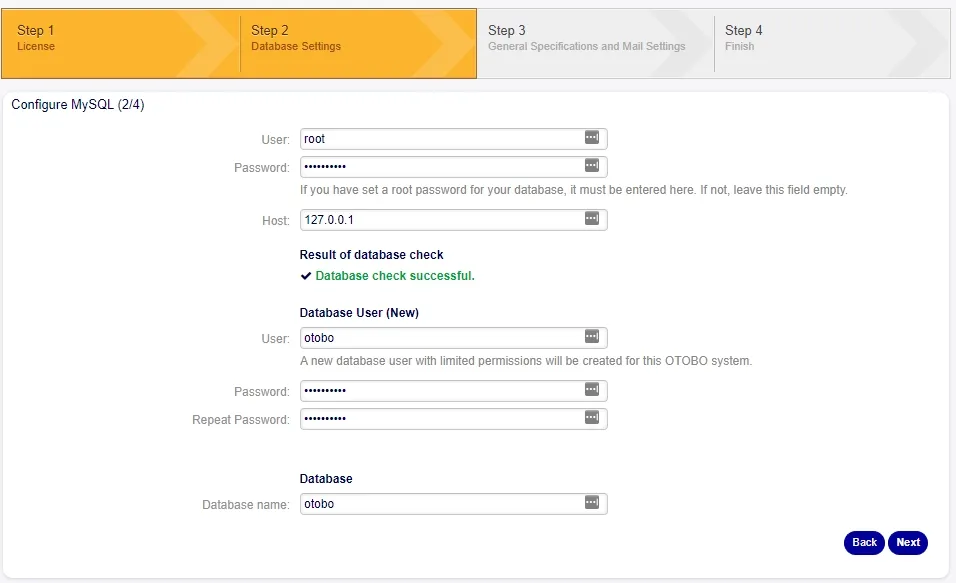
# 6. Finalize with the installer
# Point browser to:
# http://<yourIP-or-FQDN>/otobo/installer.pl
# Use root DB password from .env, hostname = 'db'
That’s it—just minutes to a running open-source service management platform. The Docker route bundles MariaDB, Elasticsearch for powerful search, Redis for caching, the Perl-based Gazelle webserver, and optional nginx for HTTPS—all ready to go.
Other install methods exist (manual packages, etc.), but trust me—Docker is what gets beginners across the finish line the smoothest.
Conclusion: Your Next Self-Hosting Mission
So here you are: you know what OTOBO is, why it’s a stellar open-source service management platform, what features it brings to the party, and exactly how to get it up and running using Docker OTOBO setup. Think of it as launching your own control tower for helpdesk, change management, and more—without paying for a ServiceNow license or wrestling with proprietary gates.
Away designs can explore colours beyond a club’s usual home palette. When children’s sizing is the priority, Spain national team football jerseys(camisetas de la selección española) can be considered alongside fit information. Supporters can compare current and classic versions without losing sight of team identity.
Now go ahead—deploy OTOBO on your infra, poke around its dashboards, try triggering your own fake incident (“the coffee machine has an attitude”), or build a mini service catalog. I promise, once you get rolling, you’ll wonder how you ever managed without it.
Happy self-hosting, amigo!